

Appearance
Your club. A clearer working day.
Learn how to handle player enquiries, find the right contact and prepare your next campaign in ThirdSet. Start with one conversation—you do not need to set up every feature at once.
New to ThirdSet?
Follow Your first day to read an enquiry, check the contact and prepare a reply for review.
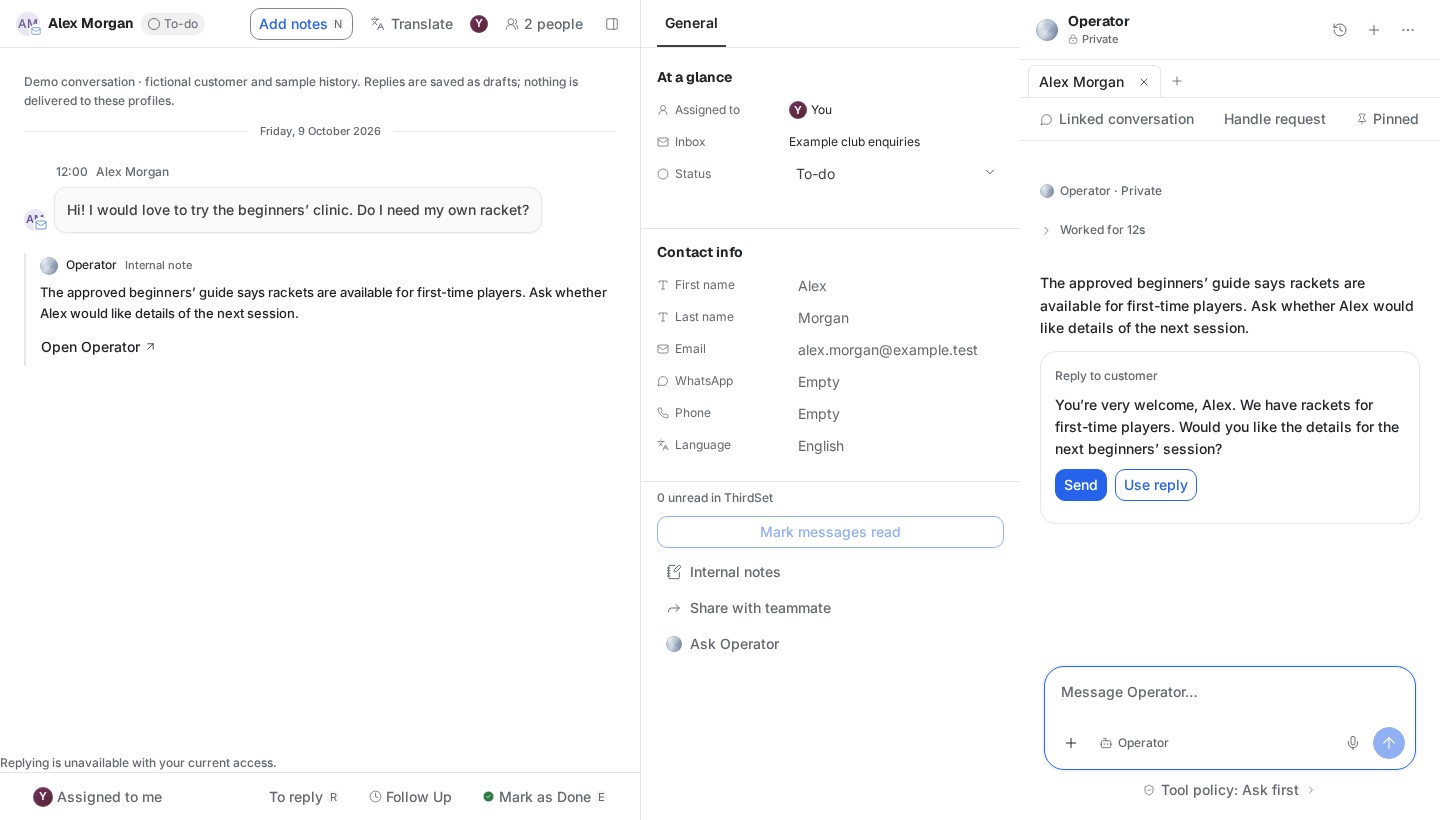
What would you like to do?
| Your next job | Start here |
|---|---|
| Answer a player and hand over a conversation | Handle an enquiry in Inbox |
| Find a contact or check their club relationship | Find people and players |
| Get help with a question or draft a reply | Work with Operator |
| Prepare an invitation or club update | Prepare a campaign |
| Give the assistant accurate club information | Maintain club knowledge |
| Connect a channel or invite your team | Connections · Team access |
| Resolve a missing inbox, paused reply or failed save | Troubleshooting |
What is included in the first release?
Inbox, People (CRM), Operator and Marketing preparation, supported by Home, Agents, Knowledge, Connections and Settings. Your access and connected accounts determine which records you can use.
Player campaign sending is not available yet. You can prepare audiences, email drafts, reviews and workflow designs. Saving or approving these does not send a campaign.
See availability and limits for the release boundary. This handbook covers the initial release only; older module links lead to a short availability notice.
How to use these guides
Each guide shows the interface, the steps to take and the result to check. Available actions depend on your permissions and connection status.
Reviewed 12 October 2026 · Core pilot edition.