

Appearance
Find people and players
Use CRM → People for the club's contact directory and Companies for organisations and their relationships. A player is a person with club-specific sporting records; a contact entry alone does not establish a membership, payment or booking.
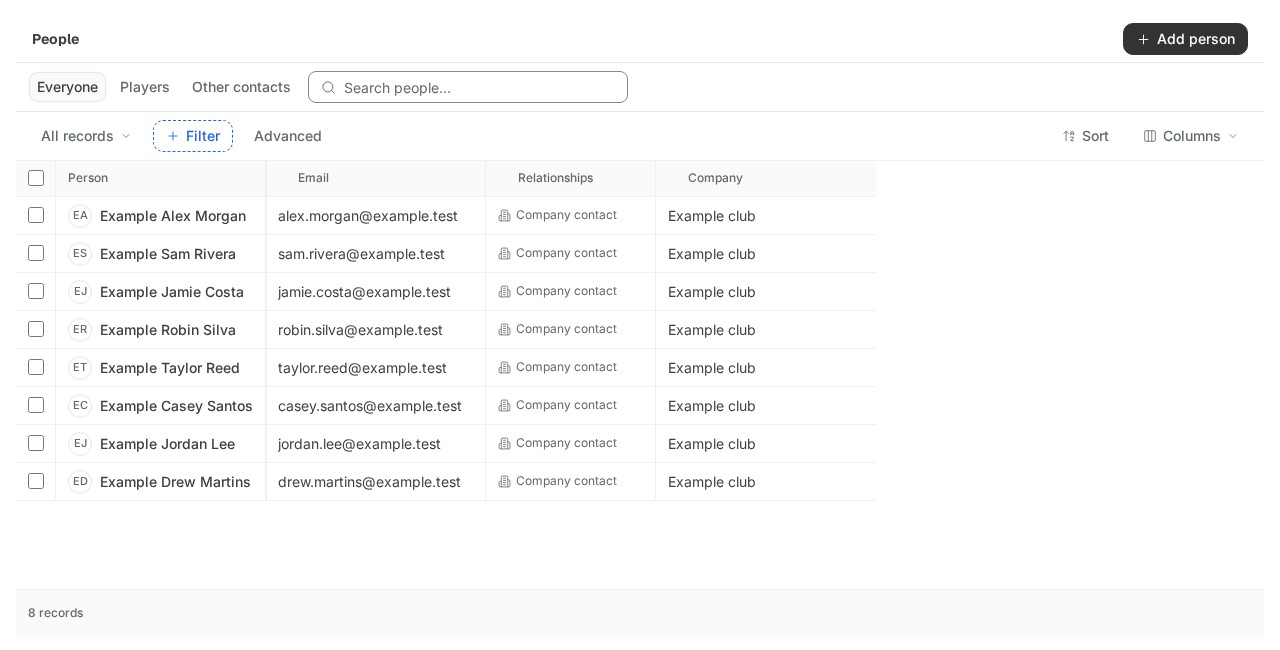
Find the right person
- Search the directory and check the current view and filters.
- Open the person and compare the recorded email, phone and existing source links.
- Review related company or player records where your permissions allow it.
- Correct the intended record and check the saved result.
Names and similar email addresses do not establish that two records represent the same person. Review explicit identity links before associating records. People, provider customers and player records can carry different identifiers.
Check your result
You have opened the intended person and checked the recorded contact details. If the list looks empty, clear restrictive filters before creating another contact. A duplicate record makes later conversations and audience reviews harder to follow.
Work with table views
People tables provide filters, advanced conditions, sorting and column controls. Check the current view when a record appears to be missing. Saving a view changes how you see permitted records; it does not change their sharing or give access to private records.
Preserve the view you need, then clear restrictive filters when investigating missing records. A zero-result filter is different from a failed read.
Player activity and conversations
Player profiles can show sporting details, memberships, matches, ratings, TiePlayer activity and linked conversations. Provider history needs a current authorised connection and an explicit source link. An empty history is not proof that the player has never visited the club.
A conversation link does not give permission to read another person's private inbox or notes. Check channel sharing and record access when a related conversation is unavailable.
Memberships and performance
Membership plans and enrollment records describe the club relationship and its lifecycle. They do not prove payment settlement, automatic collection or entitlement in another system.
Match results, rating history and imported snapshots retain their source and scale. Compare compatible scales and preserve correction history. Check source dates before relying on imported history. Broad provider sync is deferred in the core release; retained records do not prove a fresh read.