

Appearance
Your first day in ThirdSet
Start with one customer enquiry. Find the person, understand the conversation and prepare a useful reply.
1. Join your workspace
Already a member? Sign in to ThirdSet. Open your workspace verifies your membership and opens the club-scoped address.
Open your private invitation link and check the workspace name. A new account needs a display name and password; an existing account must sign in as the invited email address. Ask the administrator to check an expired or mismatched invitation.
After signing in, confirm the workspace name in the navigation rail. Use a practice conversation when learning, so a test reply does not reach a real customer.
2. Read an enquiry in Inbox
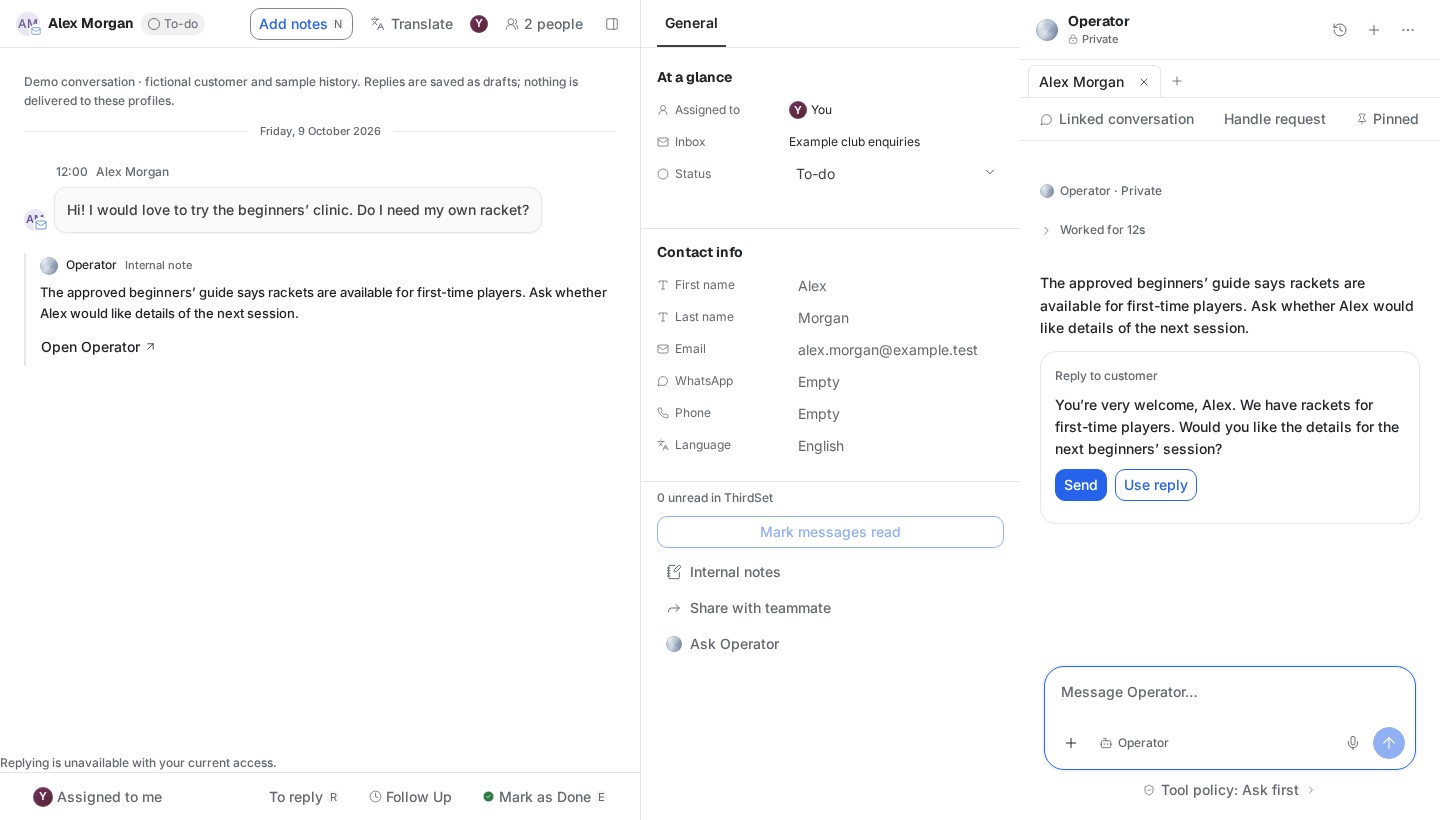
Open Inbox, choose a connected account and select a conversation. Read the history before replying. Check who owns the conversation and whether another teammate is already handling it.
3. Find the person
Open CRM → People. Check the contact's identity, relationship to the club and linked conversations. If there are similar names, compare recorded email addresses and explicit source links before choosing a record.
4. Prepare a reply with Operator
Open Operator with the relevant conversation context. Try:
Prepare a reply to this enquiry using our approved club information. Identify anything we still need to confirm, and keep the reply for my review.
Review any requested source access. Check the proposed reply against the conversation and its sources. A draft is not a sent message; sending requires its own review and a confirmed result.
5. Explore Marketing
Open a campaign and review its audience and draft content. Marketing brings preparation and review together. Player campaign sending is not yet enabled; a saved draft or workflow does not send anything.
What success looks like
You can find the right person, explain the enquiry, prepare a grounded reply and identify the next owner. If a connection, permission or budget is missing, you know what remains incomplete.
Requesting a new club
When Create an account is available, verify your email and apply for workspace access. Return to check the decision. Platform approval lets you create your club workspace and enter setup; the verified account alone does not grant admission. If account creation is unavailable, the public waitlist records interest and the platform team supplies the approved invitation. Existing staff invitations join their named workspace directly.
Check the club name and timezone during setup. Optional website research creates suggestions; only reviewed and explicitly published material becomes Knowledge. Invite staff separately once the workspace exists.